
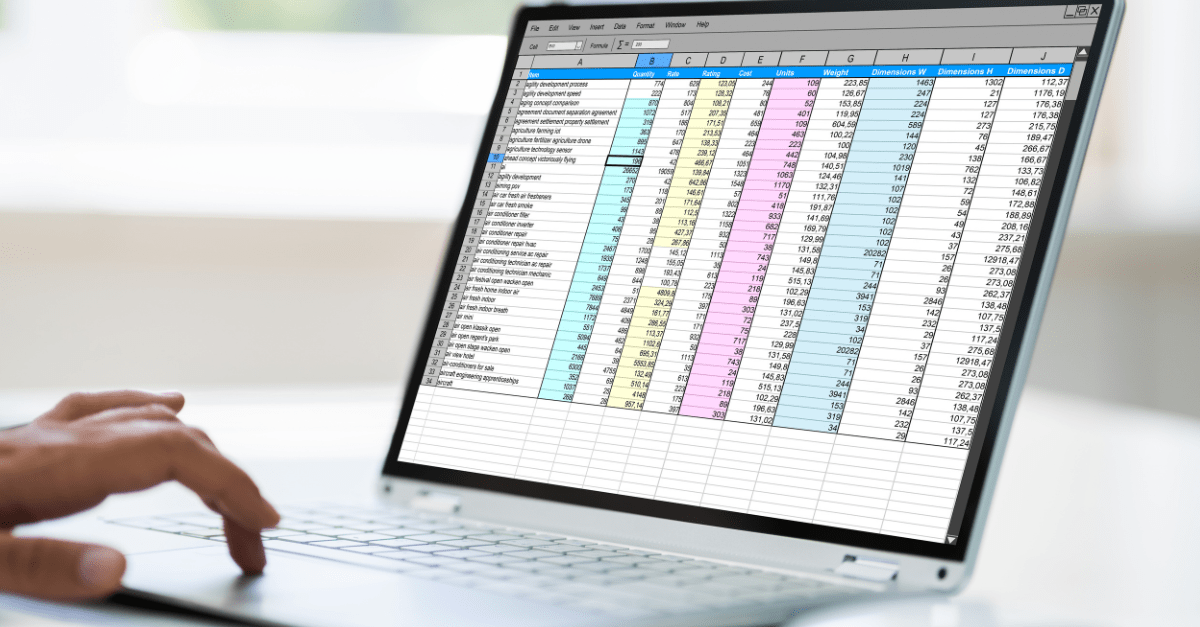
Most teams don’t decide to manage commissions in spreadsheets. It just happens. You have five reps, someone builds a quick Excel file, and it works fine. Then you hire more people, add an accelerator, introduce a SPIF, and suddenly that “quick file” has 12 tabs, nested IF statements three levels deep, and one person who actually understands it.
That’s when the comparison between a dedicated commission management system and a spreadsheet stops being theoretical and starts being urgent.
This article doesn’t assume you need software. It starts where you actually are: sitting on a spreadsheet-based process that may or may not be working, trying to decide if the pain you’re feeling is normal friction or a structural problem worth fixing.
The spreadsheet isn’t the problem. The scale is.
Let’s be direct about something most software vendors won’t say: spreadsheets work fine for small commission operations.
If you have fewer than 10 reps, one flat commission rate or a simple single-tier structure, and a reliable person managing the process, a well-built Excel file gets the job done. You probably don’t need to spend $20,000-plus per year on commission management software just to prove a point.
The problem is that most teams can’t identify the exact moment when their spreadsheet stopped working. The erosion is gradual. One more rep. One more tier. A split deal that doesn’t fit the existing formula. A plan change mid-year. By the time you realize the spreadsheet is actively causing harm, you’re already three cycles into paying the wrong amounts.
Where spreadsheets actually break
Formula errors nobody catches
Research puts the error rate in spreadsheets at up to 88%. That’s not a typo. Most spreadsheets in production contain at least one error. For commission calculations specifically, manual processes produce errors in 3-8% of calculations. On a $2M annual commission budget, that’s $60,000-$160,000 in miscalculated payouts per year.
Here’s what that actually looks like in practice: a VLOOKUP that returns #N/A because someone reformatted the rep ID column from number to text during a CRM export. Finance doesn’t catch it. The rep gets underpaid by $1,400. They notice before finance does, because they’ve been tracking it in their own shadow spreadsheet. Now you have an accuracy dispute, a frustrated rep, and no clean audit trail to resolve it.
Overpayments are worse from a financial exposure standpoint. Clawbacks damage trust. Underpayments damage retention. Both create legal risk in jurisdictions where commission disputes can end up in court.
The version control nightmare
Picture this: two people are editing “Q2_Commissions_v3_FINAL_updated_JM.xlsx” on the same afternoon. One is fixing a quota figure. The other is adjusting a territory split. They email different versions back and forth. By end of day, nobody is sure which file is authoritative.
There’s no audit trail. No record of who changed which formula, or when, or why. The “official” version might live on someone’s local drive.
This isn’t a hypothetical edge case. It’s a standard Tuesday in most finance and RevOps teams managing sales commission tracking in spreadsheets.
The bus factor
One person built the spreadsheet. One person knows why the formula in cell H47 references a named range three tabs over. When that person takes a vacation, gets sick, or quits, the entire team is stuck reverse-engineering nested logic that made sense two years ago to someone who no longer works there.
This is an operational risk, not a hypothetical one. It’s the kind of single point of failure that causes a commission run to be delayed two weeks because the one person who understands the model is unavailable. Reps notice. They start asking questions. Your credibility takes a hit that’s hard to recover.
The complexity ceiling
Flat commission rates are easy. Add a two-tier accelerator, a SPIF, a multi-product split, a ramp period for new hires, and a clawback clause, and the formula logic becomes something nobody fully trusts anymore. Every plan change requires reworking formulas across multiple tabs, and each change introduces new error risk.
Spreadsheets become essentially unmanageable around 50+ reps. The math gets unwieldy before you hit that number. By 25-30 reps with more than one plan type, you’re already spending more time maintaining the model than running the business.
No real-time visibility for reps
Under a spreadsheet-based process, reps see their commission numbers after the fact, usually in a static PDF or an email at the end of the month. That’s a long time to wait when someone is three deals into a quarter and trying to decide whether to push hard on a late-stage opportunity.
The result: 68% of employees report dissatisfaction with manual commission management processes. Reps build their own tracking spreadsheets to estimate what they think they’re owed. That shadow accounting wastes 2-5 hours per rep per month and breeds exactly the kind of distrust that makes commission disputes frequent.
What a commission management system actually does differently
A commission management system connects to your CRM and billing data, applies your commission rules automatically, calculates payouts, and gives reps and managers visibility through live dashboards.
The workflow shift is what matters here. Instead of someone manually exporting data, pasting it into a spreadsheet, and running formulas, data flows in automatically. Rules get configured once and applied consistently each period. Reps can see their earnings in real time instead of waiting for a monthly statement.
According to Prowi, automated systems reduce error rates to under 0.5% and cut processing time by 80-90%. Centify’s research corroborates that range. Most organizations see positive ROI within 3-6 months of implementing a system.
That’s the case for switching. But before getting there, it’s worth seeing the comparison clearly.
The head-to-head comparison
| Dimension | Spreadsheet | Commission management system |
|---|---|---|
| — | — | — |
| Accuracy | 3-8% error rate | Under 0.5% |
| Time to process | 20-80 hours/month | A few hours/month |
| Scalability | Works up to ~10-15 reps | Built for 50-500+ |
| Rep visibility | After-the-fact statements | Real-time dashboards |
| Audit trail | Manual or nonexistent | Automatic, role-based |
| Plan complexity | Simple plans only | Tiers, accelerators, splits, clawbacks |
| CRM integration | Manual export/import | Automated sync |
| Software cost | $0 | $15-60+/rep/month |
| Hidden costs | Admin labor, errors, rep attrition risk | Implementation, data cleanup, change management |
The honest read: spreadsheets win on upfront cost and simplicity. Systems win on everything else once you clear the threshold where complexity kicks in.
The costs nobody talks about (on both sides)
Hidden costs of staying on spreadsheets
The spreadsheet isn’t free. It just looks free.
A senior Finance or RevOps person spending 40 hours per month on commission calculations costs $3,000-$6,000 in labor per month at market rates. That’s $36,000-$72,000 per year in time that could go toward modeling, planning, or anything with higher strategic value.
Rep trust erosion is harder to quantify but more expensive. When reps don’t trust their commission statements, they spend time disputing them instead of selling. More critically, if trust erodes far enough, they leave. Replacing a sales rep costs 1.5-2x their OTE, accounting for recruiting, ramp time, and lost pipeline. One attrition event caused by commission frustration can cost more than a full year of commission management software.
There’s also an audit exposure angle that most teams don’t think about until it’s urgent. If you’re approaching SOX compliance, preparing for an IPO, or facing an external audit, a spreadsheet-based commission process is a liability. You need a clean, timestamped record of who approved what and when. Spreadsheets don’t provide that.
Real costs of adopting a system
Licensing runs $15-60+ per rep per month depending on the vendor and feature tier. For a 40-person sales team, that’s $7,200-$28,800 per year before implementation.
Implementation isn’t a flip-the-switch process. Straightforward organizations typically take 4-12 weeks. Multi-region, multi-product, multi-currency setups can take six months or more. Budget for that, or you’ll be frustrated by month two.
The messiest part: if your CRM data is inconsistent, the system will surface that immediately. Garbage in, garbage out applies even more with automation than with spreadsheets. You’ll need to spend real time cleaning data before the system produces trustworthy outputs.
Change management is real too. Reps and managers resist new workflows. Expect pushback. Plan for communication, training, and a parallel run period where you validate system outputs against your existing spreadsheet before cutting over entirely.
The over-engineering risk is worth naming: buying enterprise-grade tooling when your team is 12 people with one commission plan is overkill. Don’t let a vendor talk you into something sized for 300 reps when you have 15.
A framework for deciding when to switch
This is the question most content on this topic avoids. Here’s a direct answer.
Stay on spreadsheets if:
- Fewer than 10 reps
- One straightforward commission plan
- No compliance or audit requirements
- Annual commission spend under $500K
- You have a reliable person managing the process and they’re not going anywhere
Start evaluating systems if:
- 15+ reps with two or more plan types
- Commission disputes happening more than twice a month
- Finance spending 20+ hours/month on calculations
- SOX compliance or an external audit is on the horizon
- Sales commission structures have gotten complex enough that plan changes take weeks to model
Switch now if:
- Errors have caused overpayments exceeding $10K
- The person who owns the spreadsheet has left or is about to leave
- Headcount is scaling 30%+ year over year
- You’re adding partner or channel commissions on top of direct sales commissions
The messy middle is real: plenty of companies run a hybrid for a while, using a commission system for calculations but still exporting to spreadsheets for executive review. That’s a normal transitional state, not a failure.
What the transition actually looks like
Phase 1: data audit and cleanup. This is the hardest part. You’ll discover inconsistencies in your CRM data, gaps in your historical records, and edge cases in your commission plans that nobody documented. Budget real time for this, not a week.
Phase 2: plan documentation. Most companies realize their comp plans aren’t as clearly defined as they thought. The rules exist in someone’s head or in a loosely worded PDF that doesn’t address all the scenarios the system needs to handle. You’ll spend time writing explicit logic before you can configure it. If you need help stress-testing your plans first, variable comp plans that drive real seller behavior is worth reading before you start.
Phase 3: parallel run. Run the system and your spreadsheet simultaneously for one to two commission cycles. Compare outputs line by line. Discrepancies will appear. Most will be CRM data issues. Some will be configuration errors. Fix them before you cut over.
Phase 4: cutover and rep communication. Tell reps what’s changing, why, and what they’ll see differently. Real-time dashboards are a selling point. Lead with that.
For a team of 30-50 reps, budget 2-3 months minimum. Don’t let a vendor tell you otherwise.
How this connects to the rest of your revenue operations
Commission management doesn’t exist in isolation. Your commission calculations connect directly to quota attainment tracking, territory assignments, capacity planning, and forecast accuracy. When those systems don’t talk to each other, decisions get made on incomplete information.
When your commission system connects to your quota system, you can model the cost of a territory change before you make it, not after. You can see whether a new accelerator structure actually improves quota attainment or just increases commission expense without changing behavior.
Fullcast takes that integration further by connecting plan design, territory management, quota setting, and commission tracking in a single platform. That means a comp plan change doesn’t require three separate systems to update. If you’re also thinking through quota design at the same time, how to pick a quota management system without regret covers a parallel decision-making process worth running simultaneously.
KEY TAKEAWAYS
When should a company switch from spreadsheets to a commission management system? The practical threshold is around 15+ reps, two or more plan types, or more than 20 hours per month spent on commission calculations. If you’re experiencing frequent disputes, errors exceeding $10K, or SOX/audit requirements, those are signals to move now rather than wait.
How accurate are spreadsheet-based commission calculations? Manual commission processes produce errors in 3-8% of calculations. Dedicated commission management software reduces that to under 0.5%, according to research from Prowi.
What does commission management software actually cost? Licensing typically runs $15-60+ per rep per month. A 30-person team might pay $5,400-$21,600 per year in software costs, plus implementation time of 4-12 weeks for straightforward setups.
Do reps actually care about commission tracking tools? Yes. Real-time commission visibility reduces disputes and can improve quota attainment because reps can see exactly where they stand relative to accelerator thresholds. Shadow spreadsheets (reps tracking their own estimates) are a symptom of a transparency problem that software addresses directly.
Can we run spreadsheets and a commission system at the same time? Yes, and it’s recommended during transition. Running both in parallel for one to two cycles lets you validate outputs and catch configuration errors before the spreadsheet is retired entirely.